







Stickers.wiki
🔍
📚
Catalog
🎲
Random
🌙
💡
Stickers.wiki
🔍
📚
Catalog
🎲
Random
🌙
💡
Add stickers
CRAZY AI pics
→
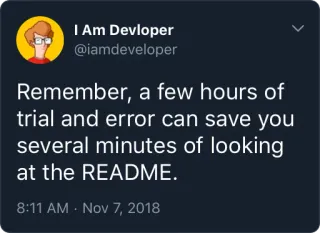
How to write code snippet @e4zybot
Sticker pack for WhatsApp
Install the How to write code snippet @e4zybot sticker pack for Whatsapp! This is a set of 25 stickers.
Scan the QR code to install the pack
Add stickers
🌟 GET REWARD
Categories:
Tags:
programming
code
development
coding
software
technology
computer science
software development
web development
developer
css
scripting
styles
sass
autodetection
telegram
automation
detection
c++
c
Categories:
Tags:
programming
code
development
coding
software
technology
computer science
software development
web development
developer
css
scripting
styles
sass
autodetection
telegram
automation
detection
c++
c
You Might Also Like
Wonderful orange cat :: @line_stickers
40
Stickers For @CreativeGamerz_Chat
66
Blue Ham Ham
24
Dev
24
@DownloadStics - Google Icons
105
@uchats
92
Effective technologies
13
Developer Victor
27
@CyKy5_18
35
Ronas IT
32
Oscar the snail
59
Judy Alvarez
19
Bill Gates
23
Pixel
21
Popular
Epic Faces by @TheRuroni
54
Pornstar
22
The Rock By: @Zack_L
39
Eurovision Flags
46
빈방 있어요 ꗥ @Hunapo
78
Ахегао
14
Among us @WhisperingPixels
32
Bubbles
113
Sex @FranceCanal
42
Дон Симон by Pete_Burns :: @fStikBot
34
Axx...~ daddy..~ :: @fStikBot
24
MetaL \m/
25
Персик :: @stickroom
49
Солдаты
20
Stickers.wiki
One of the largest sticker catalogs for Telegram and WhatsApp. Choose the best stickers and add them right now!
English
Deutsch
Français
Español
Italiano
Polski
Русский
Nederlands
Português
日本語
한국어
中文
ไทย
Tiếng Việt
Bahasa Indonesia
Telegram
Emoji Reactions on Telegram
How do I Create My Own Telegram Stickers?
How to add stickers to Telegram?
How to create a channel on Telegram?
How to create a chat/group on Telegram?
How to install Telegram?
I found illegal content. Where can I report it?
WhatsApp
The difference between the Telegram messenger and WhatsApp
About Stickers.wiki
Terms of use
Privacy Policy
Cookies
Sitemap
Telegram Stickers
© 2021–2026 "stickers.wiki"