

























Stickers.wiki
🔍
📚
Catalog
🎲
Random
🌙
💡
Stickers.wiki
🔍
📚
Catalog
🎲
Random
🌙
💡
Add stickers
Get reward
→
Mickey Mouse👉 @Stickergram
Sticker pack for Telegram
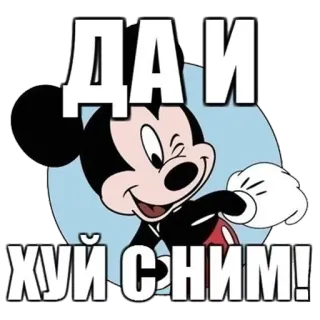
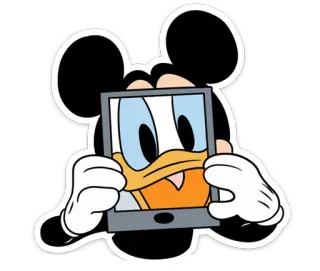
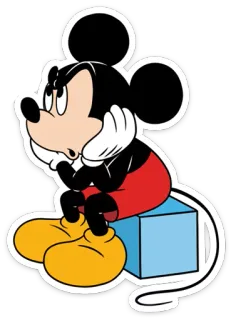
Install the Mickey Mouse👉 @Stickergram sticker pack for Telegram! This is a set of 27 stickers.
Scan the QR code to install the pack
Add stickers
🌟 Get reward
Categories:
mickey mouse
minnie mouse
Tags:
cartoon
mouse
disney
character
mickey
cute
😊
happy
peace
sunglasses
friendly
animal
cellphone
mascot
animation
hearts
minnie
couple
💖
love
💗
heart
characters
Categories:
mickey mouse
minnie mouse
Tags:
cartoon
mouse
disney
character
mickey
cute
😊
happy
peace
sunglasses
friendly
animal
cellphone
mascot
animation
hearts
minnie
couple
💖
love
💗
heart
characters
You Might Also Like
happy birthday
40
Official Goofy Stickers
36
Микки Маус :: @stickroom
28
ぷりん (Purin)❤️
25
💚 Pabllo Vittar 💚🌹
32
Salvini
42
Rock Stickers (@rocknrollnight)
36
Pepe Mouse
39
Disney @stickersb2b
43
Обезьяны/Monkeys by @Ali_Express_Style
71
Man moment🥵
27
еблуша by @fStikBot
106
INFINITE
116
Больше стиков тут: @stikery4
58
Popular
Ежики - @Tg_stickersu
16
UNO Cards
54
swagemoji
29
ам няма
75
@Farsisticker 👈جوینشو استیکر بامزه
32
Mugsy
53
@AdliiinKousei's kang pack Vol.1
97
Mochi Couple || @GreySunders
48
MZLFF🐈 :: @fStikBot
32
Regular Show
29
@football_lokam Barcelona Stickers
72
🔞
19
@kynik ЛЕГЕНДА
111
𝐆𝐨𝐝𝐟𝐚𝐭𝐡𝐞𝐫
23
Stickers.wiki
One of the largest sticker catalogs for Telegram and WhatsApp. Choose the best stickers and add them right now!
English
Deutsch
Français
Español
Italiano
Polski
Русский
Nederlands
Português
日本語
한국어
中文
ไทย
Tiếng Việt
Bahasa Indonesia
Telegram
Emoji Reactions on Telegram
How do I Create My Own Telegram Stickers?
How to add stickers to Telegram?
How to create a channel on Telegram?
How to create a chat/group on Telegram?
How to install Telegram?
I found illegal content. Where can I report it?
WhatsApp
The difference between the Telegram messenger and WhatsApp
About Stickers.wiki
Terms of use
Privacy Policy
Cookies
Sitemap
WhatsApp Stickers
© 2021–2026 "stickers.wiki"